Streaming Video Games and Live Acoustic Music on One Rig
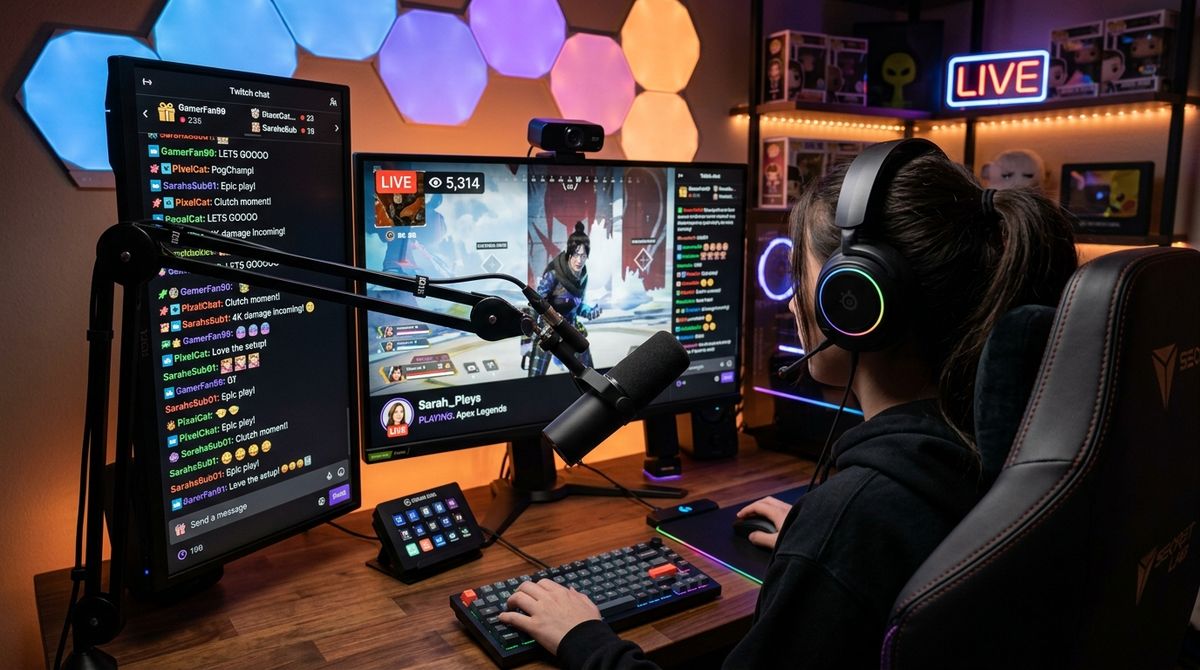
Combining interactive video games with live acoustic music creates a vibrant broadcast that keeps an audience entertained through varied tempos and moods. A creator might transition from an intense multiplayer round straight into a relaxing guitar interlude, giving viewers both competitive action and intimate musical performances. While blending these two creative outlets provides fresh entertainment, managing the gear and signals on a single desk can quickly become intimidating.
Running both hobbies together does not require a commercial studio or complicated racks of hardware. With thoughtful planning, you can organize your desk, route your sound cleanly, and present a sharp visual layout that captures every note and game moment. The goal is to build a reliable workstation that allows you to swap between your controller and your instrument without pausing the entertainment.
Balancing Audio Sources Between Gameplay and Live Instruments
The primary hurdle in any hybrid broadcast is managing sound levels. Live acoustic instruments produce wide dynamic swings, moving from gentle fingerpicking to loud strumming in an instant. Meanwhile, modern video games feature sudden explosions, voice chat from teammates, and ambient soundscapes. If these feeds clash, your voice becomes difficult to hear and the musical tone distorts.
A multichannel hardware interface serves as the foundation for clean audio balance. Connecting a dedicated vocal microphone and your instrument pickup to separate physical channels lets you set individual input gains before sound ever reaches your broadcast software. This physical separation prevents digital clipping and gives you tactile knobs to tweak if an acoustic guitar rings louder than expected.
Using digital volume controls inside your broadcast encoder completes the equation. You should create dedicated audio tracks for gameplay, party chat, instrument signals, and your vocal microphone. Applying gentle audio compression to your microphone helps even out loud shouts during clutch gaming moments, while leaving the acoustic instrument channel relatively open preserves its natural resonance and warmth.
Positioning Cameras for Hands, Face, and Instruments
Viewers appreciate seeing the dexterity required to play both games and musical instruments. A single wide lens placed far away often fails to capture subtle finger movements on a fretboard or quick reflexes on a gamepad. A flexible multi-angle setup makes your broadcast feel polished and energetic.
A primary face camera should sit near eye level, slightly above your primary computer display. This placement maintains eye contact with your community while you converse between rounds or introduce a new song. When choosing capture hardware with reliable autofocus and crisp color representation, checking detailed camera assessments on bestcameraworld.com can help you find hardware that suits varied indoor lighting conditions and dynamic movement.
Adding a secondary camera angle dedicated to your instrument creates visual depth. A small arm clamped to your desk can hold a lens pointing at your guitar fretboard or keyboard keys. You can set hotkeys to switch between a full-screen face camera, a gameplay layout, and a picture-in-picture view during acoustic interludes.
Simplifying the Digital Routing and Encoder Configuration
Routing video feeds, game audio, vocal filters, and instruments into streaming software can overwhelm computer resources if the configuration is cluttered. Audio latency is the primary issue. When hand movements on an instrument do not match the sound in your headphones, performing becomes difficult.
To avoid delay, keep your audio processing chain lean and prioritize low-latency drivers for your sound hardware. Direct zero-latency hardware monitoring allows you to hear your own singing and playing straight from the audio interface rather than waiting for the computer to process and return the signal. For those who find driver configurations and encoder settings confusing, reading straightforward technical guides on technolik.com makes understanding device drivers, signal conversion, and digital encoding much easier to manage.
Build custom scene profiles in your streaming software. Dedicate one profile to gaming where teammate audio takes priority and camera windows remain compact. Create another profile for musical segments, enlarging your instrument camera, dimming game audio, and giving your microphone a spacious acoustic presence.
Organizing Physical Space and Cable Workflows
A combined gaming and music area faces constant clutter. Headphone cords, guitar cables, controller wires, and camera mounts can turn a desktop into a hazard. An accidental tug on a loose cable during a lively session can pull equipment off a shelf or yank a microphone out of alignment.
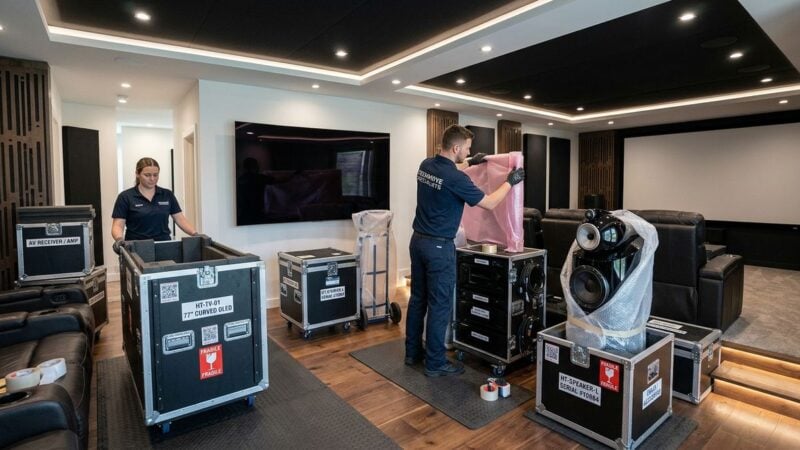
Wall hangers and sturdy floor stands keep valuable instruments safe yet accessible. Storing an acoustic guitar on a wall mount directly beside your desk allows you to reach for it during loading screens without standing up or maneuvering around tripods. Keeping your creative space clean also involves establishing routines for hardware safety. Reviewing helpful advice on securing equipment in a shared lounge provides practical strategies for safeguarding delicate audio gear and screens in high-traffic living spaces.
A practical cabling routine ensures that your creative corner remains safe and functional throughout long sessions:
- Fasten stationary cables along desk legs and monitor arms using reusable hook and loop straps.
- Label every audio lead at both ends so you can troubleshoot connection issues swiftly.
- Keep instrument cables untangled by coiling them neatly on dedicated wall hooks after each broadcast.
Separating power cords from analog instrument cables helps prevent electronic hums from entering your broadcast mix. When electrical wires run parallel to audio leads, magnetic interference can introduce background noise that degrades acoustic clarity.
Building an Engaging Broadcast Routine for Viewers
Blending two distinct entertainment styles requires clear communication with your viewers so they know what to anticipate. Some community members may arrive solely for high-skill gaming moments, while others drop in to relax and listen to live cover tunes. Crafting a comfortable broadcast rhythm keeps both factions engaged without alienating anyone.
Establishing natural transition markers works wonderfully. For instance, you might dedicate the opening moments of your broadcast to warming up on your instrument and taking song suggestions from chat. Once the room is lively, transition into your featured video game, saving short acoustic riffs for moments when you wait in lobby queues or download updates.
Pay close attention to physical comfort as you switch activities. Gaming chairs with bulky armrests often bump against an acoustic guitar body. Choosing a chair with flip-up armrests or keeping an armless stool nearby lets you shift posture smoothly without straining your shoulders.
Cultivating a hybrid gaming and music broadcast is a rewarding journey that showcases your versatile creative talents. By setting up balanced sound channels, organizing your visual cameras, and maintaining an orderly workspace, you create an inviting atmosphere for your community to enjoy both thrilling interactive gameplay and soulful acoustic melodies.